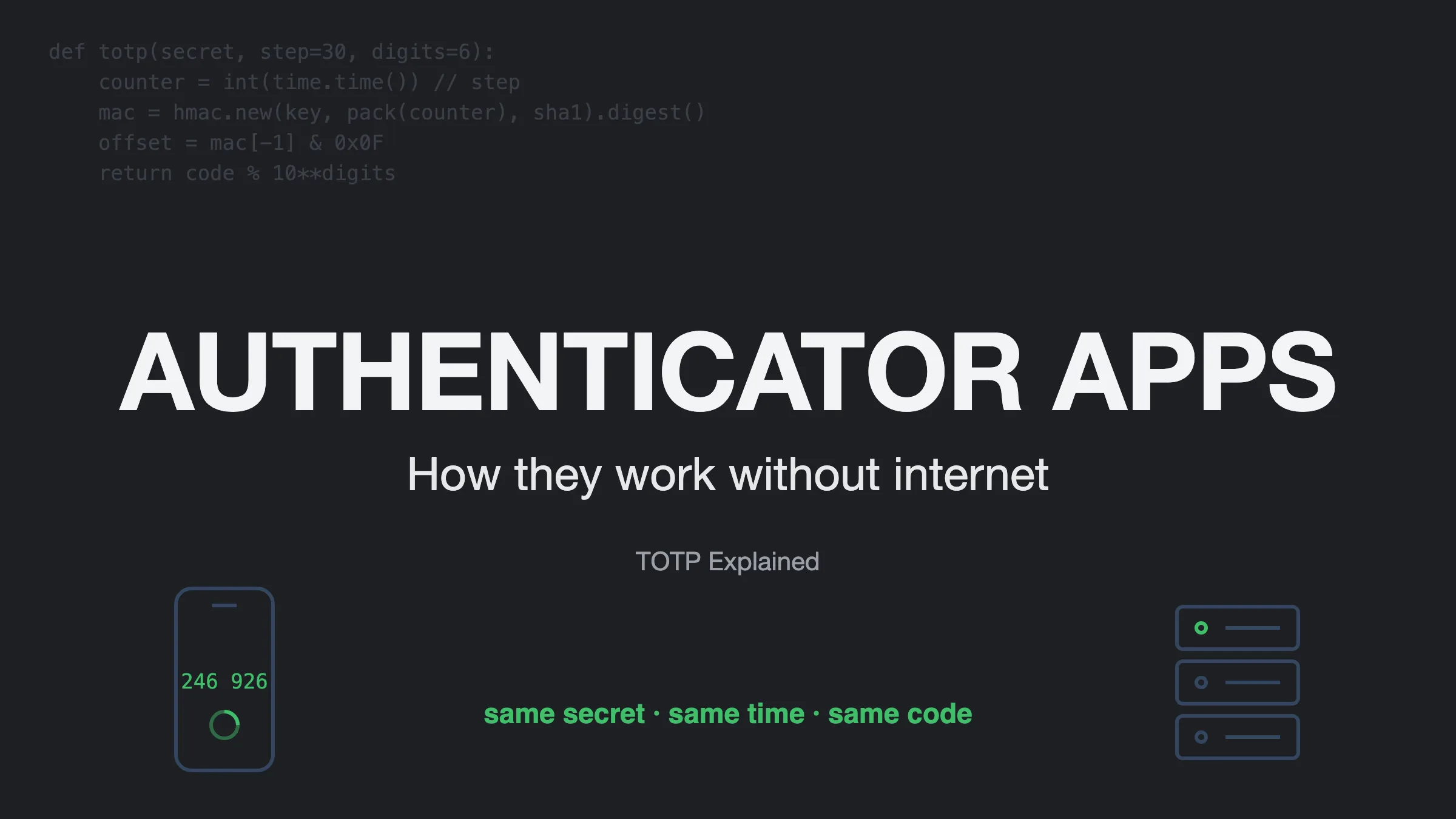
I reached for my phone to get an OTP from Google Authenticator and got curious. My phone wasn’t connected to the internet, but the app was still generating a new code at a fixed interval. And the code worked.
So without an internet connection, how was the server validating a code generated locally on my phone? And how secure is this if it works offline?
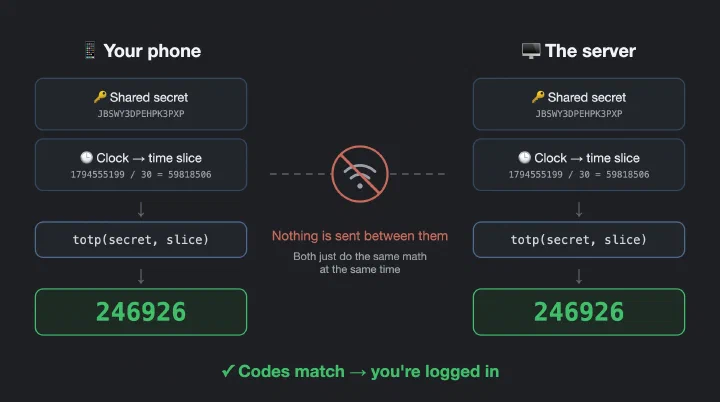
Short answer: yes, authenticator apps work without internet. Your phone and the server share a secret key, and both use it with the current time to generate the same code on their own. Nothing is sent between them.
Let’s see how 👇
The beautiful engineering behind it
It all starts when you first set up a new account in the authenticator app. You scan a QR code (or enter a key), and that key is a shared secret between you and the server. The server keeps a copy, and your phone keeps a copy.
Now both use a fixed algorithm to generate the OTP, popularly known as TOTP (Time-based One-Time Password). There’s also HOTP, which uses a counter instead of time. TOTP is actually built on top of HOTP, but to keep things simple let’s focus on TOTP.
TOTP: Time-Based One-Time Password
The key feature of this algorithm is that it produces the same output for the same input.
It takes 1 January 1970 (Unix time) as the starting point and divides time into 30-second slices. So at any moment, it knows the current slice number and generates an OTP for that slice:
slice = current_unix_time / 30 → 1794555199 / 30 = 59818506
(1794555199 was the Unix time when I was writing this.)
But using time directly isn’t safe. Everyone knows the time, so anyone could generate the same OTP. To prevent this, we mix in the shared secret using HMAC-SHA1 (a hash that needs a key). Now the output depends on both time and the secret, and no one can create the same OTP without the secret.
The result is a 20-byte hash, way too long to type. So it uses the last 4 bits of the hash to pick a position, reads 4 bytes from there, and keeps the last 6 digits. That’s your code.
The whole thing fits in a few lines of Python:
| |
Try it yourself: open your authenticator app, add a new account with “Enter a setup key”, and use JBSWY3DPEHPK3PXP. Now run the script. Both show the same code, and change at the same time. (It’s a well-known demo key, so don’t use it for anything real.)
To keep it secure, the shared secret has to be long and random. The RFC asks for at least 128 bits, and 160 bits (20 bytes) is recommended. In the app, it usually looks something like JBSWY3DPEHPK3PXP..., which is very hard to guess.
Why it works offline
Well, we have our answer by now. TOTP produces the same output for the same input.
Both the server and your phone have the key, and both have a clock. So when you send an OTP, the server generates its own OTP using its copy of the key and the current time slice, and checks it against the one you sent. If they match, you’re good to go.
The drawbacks
Clock drift: since everything depends on time, if your phone’s clock and the server’s clock drift apart, you can get OTP mismatches. To handle this, servers usually also accept the OTP from one slice before and after (±30s).
Losing your phone: the secret lives on your phone, so always save the backup codes you get during setup.
Phishing: a fake login page can still ask for your OTP and use it within those 30 seconds, so always check the website before typing it in.
Also, push-style “Approve sign-in?” prompts (like in Microsoft Authenticator) do need internet. Only the 6-digit codes work offline.
Why TOTP
2FA adds an extra layer of security. Traditionally we used email and SMS to send OTPs, but both have their drawbacks: SMS costs money, emails need to land in the inbox and not spam, and both can be delayed because they depend on another service to deliver them. SMS codes can also be stolen through SIM swap attacks.
TOTP solves all of this. Codes are instant, free, and work even in airplane mode.
Conclusion
Authenticator apps work offline because they use a shared secret and some incredible mathematics. It’s the hard work of mathematicians and engineers together that keeps your accounts more secure, so a stolen password alone isn’t enough anymore. Still use a strong password though. 2FA is the second layer, not a replacement.
Next time you open an authenticator app, remember the engineering behind it every time the clock ticks. ⏱️
Want to go deeper? Read RFC 6238 (TOTP) and RFC 4226 (HOTP).